One account per logo? Model the parent, sites and contact roles
Give the group a parent account and each site that can buy or block its own, with a role on every contact and an owner per level, so routing and coverage work.
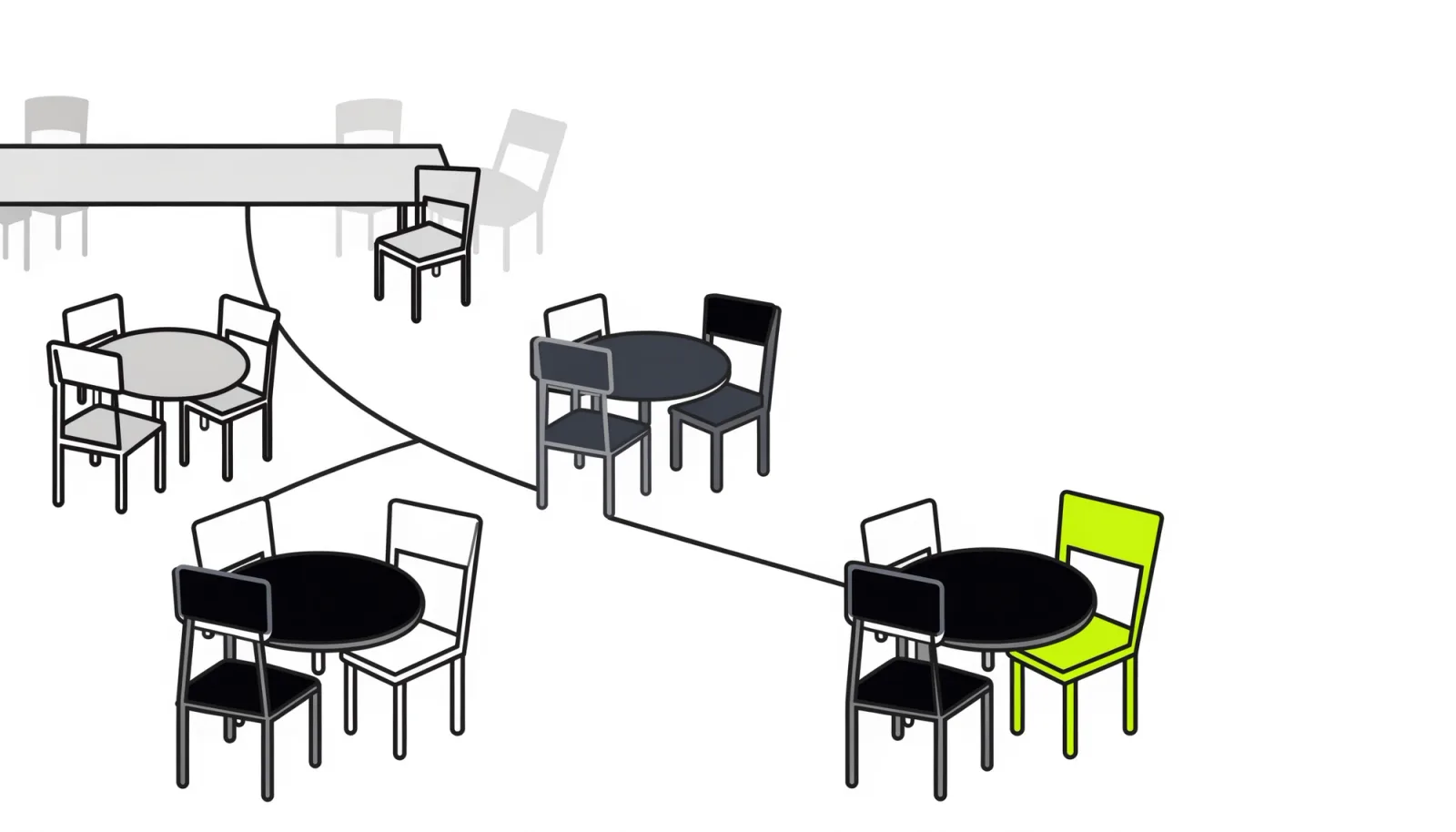
One account per logo hides which seats are covered
A single account per logo puts every site’s contacts in the same list, so you can count people but can’t see which seats are engaged. That matters because the buying group is spread out. In Forrester’s 2025 survey, 73% of purchases involved 3 or more departments, with an average of 13 people inside the buyer’s organisation.↗ At a buyer with several sites, those people also work in different places: a security lead at head office, an operations lead at each site, finance wherever the budget sits.
When they share the same record, 3 things break:
- Coverage. An account with many engaged contacts looks multi-threaded, even when nearly all of them work in the same department at head office.
- Routing. A lead from the third site goes to whoever owns the logo, or to the rep who covers head office’s postcode.
- Signals. A new manager or an expansion at a site lands on an account where nobody owns that site.
Today’s AI answers to this question draw the hierarchy well. Of the 2 we captured on 25 October 2026, from ChatGPT and Google’s AI Overview, neither defines when a role counts as engaged.↗ Neither notes that sites usually share the parent’s web domain, and neither measures coverage against a baseline.
Give every site that can buy or block an account
Model the buyer as a parent account for the group and a child account for each site that can buy or block on its own. Depending on the market, a site is a plant, a hospital, a depot or a regional subsidiary. A site passes that test when it has its own budget holder or a seat that can veto the deal. Each such site also gets its own owner on your side. An office that never buys stays an address on the parent. Levels below a site, such as production lines or hospital wards, become a count on the site or asset records unless they pass the same test.
Then give every contact 2 things: a direct account and a role. The direct account is the site where the person works, or the parent for group roles. The role comes from a short list: start with 3–5 required roles per account tier.↗ Store it on the link between contact and account, so someone who covers several sites holds the seat at each without a duplicate contact. Keep the job title as its own field. A title says what someone does; a role says which seat they hold in your deal.
Deals belong to the site that buys. Their contact roles name the seats each deal needs, at that site and at the parent.
| Record | What it holds | Matched on | Owned by |
|---|---|---|---|
| Parent | The group: its group seats (security, procurement, finance) and the master agreement | Web domain or company register number | The account executive for the group |
| Site | A single place that can buy or block: its address, its operating seats and a count of lines or units | Parent plus street address, never the domain alone | A site owner, with a named fallback |
| Contact | A direct account, a role on each account link and the job title as its own field | Email address | The owner of the contact’s direct account |
| Deal | The site that buys, and the seats this deal needs as contact roles | Site and product | The deal owner |
HubSpot and Salesforce both have the parts. In HubSpot, a parent company can have many child companies, but each child has only 1 parent, on every plan.↗ On Professional and Enterprise plans, association labels can carry the roles. You can create up to 50 per pair of objects and filter segments, workflows and custom reports on them.↗ In Salesforce, the Parent Account field builds the hierarchy. Each contact has 1 direct account and, once an admin turns on Contacts to Multiple Accounts, indirect ones too, each with its own Roles field.↗
Route to the site’s owner, with a named fallback
Routing should find the parent, then the site, and hand the lead or signal to that site’s owner, or a named fallback, the same day. The site is the hard part, because an email domain identifies the logo and says nothing about the place. HubSpot’s automatic association, for example, links a new contact to a company by email domain. When several companies share that domain, it links the contact to only 1 of them, and you can’t choose which.↗ Any matching rule that stops at the domain has the same blind spot.
So route in this order:
- Match the parent on its web domain or company register number.
- Resolve the site from the site named on the form, the postcode, the signal’s location or the contact’s direct account.
- Send it to the site’s owner, or to their named fallback when they are away.
- If the site stays unknown, send it to the parent’s owner with a task to name the site within 1 working day.↗
- Send group events, such as a new security lead or a group-wide programme, to the parent’s owner.
Keep the model clean with 2 rules. Duplicate checks that match accounts on web domain flag every site that shares the parent’s domain as a copy of it. Match parents on domain or register number, and sites on parent plus street address. And don’t let a routing tool create a new site account whenever a lead matches no site, as Google’s AI Overview suggests.↗ Sites come from a reviewed list; otherwise duplicates multiply.
Handoffs follow the same map. A won deal’s promises go to that site’s account manager, and the parent’s owner sees the other sites as expansion.
Count engaged seats per site and per deal
Coverage is engaged seats divided by required seats, counted for each site and each open deal, where engaged means a two-way exchange in the last 90 days.↗ Count roles, not people: 10 contacts in IT are still 1 seat.↗
Split the required seats between the parent and the site. Group seats, such as security, procurement and finance, sit on the parent and count for every site. Operating seats, held by the people who run the work your product touches, sit on each site. A site’s coverage counts its own seats plus the parent’s. A deal’s coverage counts the seats that deal needs, at the sites it covers.
Then set a baseline: freeze the first full count after the backfill, and report these against it every month:
- Coverage per Tier 1 site and per open deal above your deal-size floor
- The next empty seat at each Tier 1 site, with its owner and an engage-by date
- Sites with no owner, and contacts with no role
- The share of leads and signals that reached the right site’s owner first time
The per-site count shows a rep where to thread next, and threading pays. On deals over $50k, multi-threading lifts win rates by 130% on average.↗
Counted by site, a well-covered account shows empty seats
Counting by site turns an account that looked well covered into a list of empty seats. Take a fictional vendor of OT (operational technology) security software and a fictional manufacturer it sells to. The vendor’s old CRM held the manufacturer’s head office and 4 plants in Germany as a single account, with 26 contacts and 10 of them engaged.↗ The pipeline review called it multi-threaded.
Restructured, the parent holds the group seats: the CISO, group procurement and finance. Each plant holds the operating seats: the plant manager, the maintenance lead and the OT engineering lead. Of the 15 required seats, 5 are engaged, about 33%, and the 6 IT and security contacts at head office fill just 1 of them, the CISO’s.↗ The open deal, a rollout to plants 1 and 2, needs 8 seats and has 4.↗ Finance and every seat at plant 2 are missing, and the old record never showed plant 2 at all.
| Account (fictional) | Required seats | Engaged | Next empty seat |
|---|---|---|---|
| Group head office (parent) | CISO, group procurement, finance | 1 of 3: the CISO, through 6 IT and security contacts | Finance |
| Plant 1, running the pilot | Plant manager, maintenance lead, OT engineering lead | 3 of 3 | None |
| Plant 2 | The same 3 operating seats | 0 of 3 | Plant manager |
| Plant 3 | The same 3 operating seats | 1 of 3: the maintenance lead | Plant manager |
| Plant 4 | The same 3 operating seats | 0 of 3, no contacts yet | Plant manager |
| All 5 accounts | 15 seats | 5 of 15, about 33% | Plant 2, for the open deal |
The split follows how these buyers organise the work. In Fortinet’s 2026 survey of over 700 OT professionals, 60% said the CISO has ultimate responsibility for OT cybersecurity.↗ Yet the control network, uptime and often part of the budget sit with plant operations and controls engineering.↗ Plant managers oversee either a whole plant or a specific area of production.↗ At US manufacturing establishments, industrial production managers, the occupation that includes plant managers, outnumber computer and information systems managers about 4 to 1.↗
US manufacturing establishments employ about 4 production managers per IT manager
Data behind this chart
| Item | Value |
|---|---|
| Industrial production managers (plant managers) | 167500 |
| Architectural and engineering managers | 73860 |
| Supervisors of mechanics, installers and repairers | 62600 |
| Computer and information systems managers | 41350 |
| Information security analysts | 9290 |
Routing changes too. When plant 3’s maintenance lead asked for a demo, the email domain matched only the group. The old CRM gave the request to the logo’s owner, who was busy with plant 1. With the site named on the form, the request now reaches plant 3’s owner, whose next empty seat is the plant manager. The plant managers at plants 2–4 weren’t in the old CRM because it had no plant to file them under. Each is now an empty seat with an owner and a date. The way in is through people who already talk to that seat, such as the plant 1 manager, rather than a cold sequence.
Fix the fields routing reads before you automate
We think you should fix the fields that routing reads, meaning the hierarchy, the roles and the owners, before you switch on any automation. In our experience, the order of the work matters more than the tool. Automation on a logo-level account repeats the same mistakes faster. A request from a plant goes to the logo’s owner. A scoring model reads a long list of IT contacts as a covered account. Nobody notices until a deal stalls at a site nobody owned. Most teams also start from data they don’t trust. In Validity’s 2025 survey, 76% said less than half of their organisation’s CRM data is accurate and complete.↗
We’d also write the model on a single page before anyone builds it. It covers what counts as a site, the role list with a one-line definition each, the owner of each level and their fallback, the routing order, the duplicate keys and who approves a change. A model that only its builder understands starts to drift when that person leaves. Written down, with an owner and a version, it outlasts them.
- 01Model
Write the model on a single page
What counts as a site, the role list with a one-line definition each, owners and fallbacks per level, the routing order, the duplicate keys and who approves a change.
Week 1 - 02Records
Build the parents and sites
Open deals, Tier 1 accounts and customers with several sites first. Parents matched on domain or register number, sites on parent plus street address.
Week 2 - 03Roles
Give every contact an account and a role
Contacts on open deals and Tier 1 accounts first. A site or role nobody has verified stays unknown, and the job title stays its own field.
Weeks 2–3 - 04Owners
Name an owner for every parent and site
Each with a named fallback. Group seats sit with the parent’s owner, operating seats with the site’s.
Week 3 - 05Baseline
Count coverage before anything changes
Engaged seats per site and per open deal, frozen, so every later number is read against it.
Week 4 - 06Automation
Switch on routing, then signals and scoring
Each rule tested with test records and written into the automation registry with an owner. Coverage reported monthly against the baseline.
From week 5
The same thinking puts a name on every route. We’d rather send a lead from an unknown site to the parent’s owner with a task than to a triage queue, because nobody notices when a queue without a name stalls.

In practice
How we do it at Panelhop
In a Panel Check (GTM audit · 2–3 weeks), we count your CRM the way this post does: engaged seats per target account and per open deal, how leads and signals are routed and where accounts are duplicated. You see the gaps site by site before anyone rebuilds anything.
If the account model is the leak, a Leak Fix (we build the fixes) puts the parent and site records, the role list, the owners and the routing into your own HubSpot or Salesforce. We test every rule with test records, write it into your automation registry with an owner and report coverage against the baseline at sign-off and 30 days later. The written model stays with your team, so it outlasts whoever built it, us included.
Questions buyers ask about this
Who can rebuild our CRM so a manufacturer is modelled as parent, plants and lines, with plant manager, maintenance and OT engineering as contact roles?
Your CRM admin or RevOps lead can build it, since HubSpot and Salesforce both support parent and child accounts and roles on a contact’s link to an account. What needs an owner is the model, written on a single page, so ask any builder, in-house or outside, for that page, tests with test records and handover notes before go-live. Keep lines as a count or asset records on the plant unless a line has its own budget holder.
Our SDRs book calls with IT but almost none with plant managers, who aren’t even in our contact database. How do we get in front of the person who runs the plant?
Give each plant its own account with a plant manager seat, so the gap shows as an empty seat with an owner and an engage-by date instead of a contact nobody looked for. Then go in through someone who already talks to that seat: a plant manager at a customer, a named introduction from your IT contact or the maintenance lead at the same plant. Report engaged plant manager seats per account rather than meetings booked.
We sell OT security to German manufacturers. Should we tier the list by number of plants, by whether they have an OT security lead, or by recent incidents in their sub-sector?
Tier on fit, counted from the site records: the plants that run the operations you protect, each checked at a source. Treat the OT security lead as a seat, which decides where you start rather than the tier, and sub-sector incidents as context for your message. An incident or other dated event at the account itself is a signal: route it to that site’s owner and move the account up a tier the day it lands.
Should a buying role sit on the contact, the account or the deal?
On the link between the contact and the account for coverage and routing, because it says which seat the person holds at that site. The contact role on a deal says which seats that deal needs. Keep the job title as a separate field: it says what someone does, while the role says what they decide in your deal.
Do we have to split every account into sites at once?
No. Start with open deals, Tier 1 accounts and customers with several sites, and leave single-site accounts as they are. Mark a site unknown until someone verifies it, because a guessed site sends leads to the wrong owner.